


Table of Contents
Look, I’ll be straight with you trading without AI in 2025 is like trying to win a Formula 1 race on a bicycle. Sure, it’s technically possible, but why would you do that to yourself?
The trading landscape has completely transformed over the past few years. What used to take hours of manual chart analysis, pattern hunting, and news monitoring can now happen in seconds with the right artificial intelligence trading tools. And I’m not talking about some futuristic tech that costs a fortune. Many of these AI-powered trading platforms are accessible to everyday traders like you and me.
But here’s the catch the marketplace is absolutely flooded with options. Every other day, there’s a new “revolutionary” AI trading software promising to make you the next Warren Buffett. Some are genuinely game-changing. Others? Well, let’s just say they’re better at marketing than actual trading.
That’s exactly why I’ve put together this comprehensive guide. I’ve tested, researched, and analyzed the top AI tools for traders that are actually worth your time and money in 2025. Whether you’re into day trading, swing trading, algorithmic trading, or long-term investing, there’s something here that’ll level up your game.
We’ll cover everything from free AI trading assistants to professional-grade platforms that serious quants swear by. I’ll break down what makes each tool unique, who it’s actually built for, and whether it’s worth the investment. No BS, just practical insights to help you find the machine learning trading tool that fits your style.
Ready to step into the future of trading? Let’s dive in.
Why AI Trading Tools Matter in 2025
Before we jump into the specific platforms, let’s talk about why AI has become absolutely essential in modern trading.
The markets move fast insanely fast. We’re talking millions of transactions happening every second, news breaking 24/7 from every corner of the globe, and patterns forming and dissolving before you can even finish your morning coffee. As a human trader, you’re competing against institutional algorithms that can process terabytes of data in milliseconds.
Here’s where AI trading bots and intelligent software come in clutch:
Speed: AI can scan thousands of stocks, crypto assets, or forex pairs in the time it takes you to load a single chart. When opportunities pop up, every second counts.
Pattern Recognition: Machine learning models can identify technical patterns, chart formations, and correlations that would take human eyes days or even weeks to spot. They’ve been trained on decades of historical data.
Emotion-Free Execution: Let’s be real we’ve all held onto losing positions too long or panic-sold winners. AI doesn’t get scared, greedy, or FOMO. It sticks to the strategy.
24/7 Monitoring: While you’re sleeping, eating, or binge-watching your favorite show, AI keeps watching the markets. Crypto traders especially know how brutal it is to miss a midnight pump or dump.
Data Processing: Modern AI trading platforms can analyze news sentiment, social media trends, earnings reports, technical indicators, and alternative data sources simultaneously. Try doing that manually.
The bottom line? AI doesn’t replace good trading judgment it amplifies it. Think of these tools as having a tireless research assistant, a lightning-fast analyst, and a disciplined executor all rolled into one.
What to Look for in an AI Trading Platform
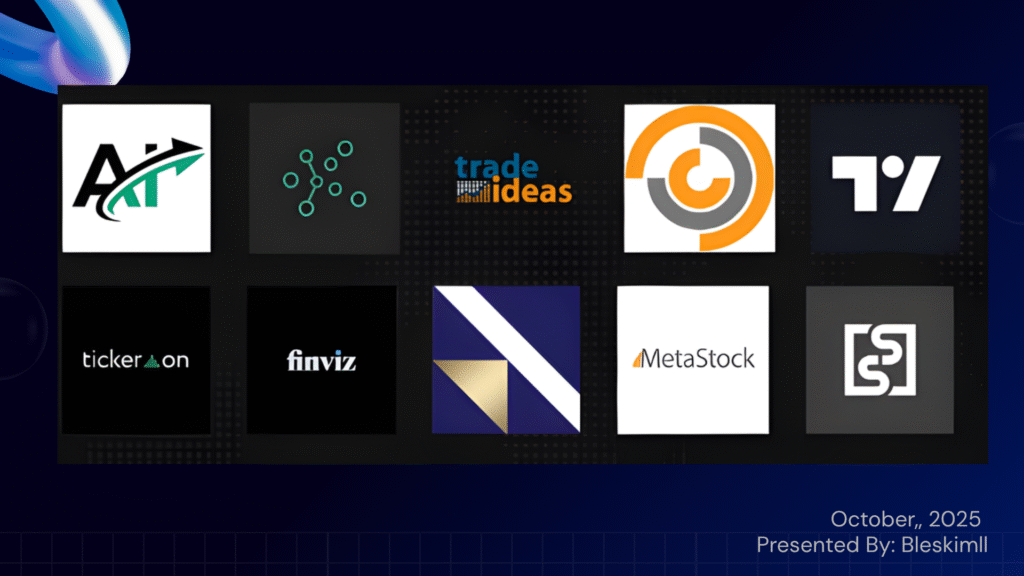
Not all AI trading software is created equal. Before we get into the individual tools, here’s what separates the winners from the pretenders:
1. Transparency: Does the platform show you how its AI makes decisions? Can you see backtested results and performance history? Black boxes are fine for sci-fi movies, not for your trading capital.
2. Proven Track Record: Look for audited performance data, user reviews, and real-world results. Marketing hype is cheap results matter.
3. Asset Coverage: Make sure the platform supports your markets. Whether you trade stocks, options, futures, forex, or cryptocurrencies, the tool should have you covered.
4. Ease of Use: The best AI trading tools balance power with usability. You shouldn’t need a PhD in computer science to set up a simple strategy.
5. Integration: Can it connect with your broker? Does it work with your favorite charting software? Seamless integration saves headaches.
6. Pricing Model: Free trials, transparent pricing, and flexible plans are green flags. Hidden fees and pushy upsells? Red flags.
7. Support and Education: Good platforms invest in helping users succeed with tutorials, live training, and responsive customer support.
With that framework in mind, let’s explore the top 11 AI trading tools that are crushing it in 2025.
The Best AI Trading Tools for 2025
1. TradeEasy AI – Your Free Financial Intelligence Assistant
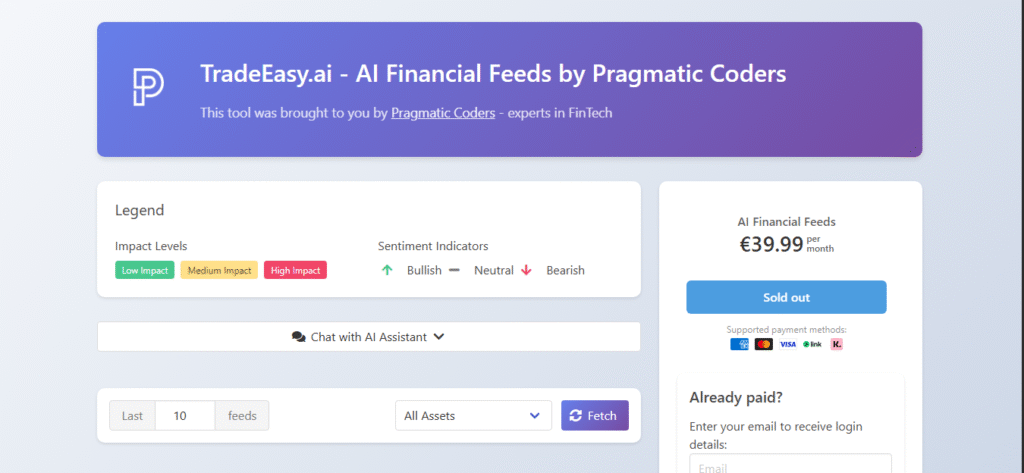
| Feature | Details |
|---|---|
| Best For | News-driven traders, fundamental analysis, market sentiment monitoring |
| Pricing | Completely free |
| Asset Coverage | Stocks, bonds, commodities, forex, cryptocurrencies |
| Key Strength | Real-time news aggregation with AI sentiment analysis |
Let’s kick things off with something that won’t cost you a penny TradeEasy AI.
Here’s what makes this platform different: instead of throwing buy and sell signals at you, TradeEasy focuses on helping you understand why markets move. It’s like having a financial news analyst working for you around the clock.
Top 20 AI Product Recommendations for Fintech in 2025
How It Works
TradeEasy AI constantly scrapes financial news from reputable sources across the web. But here’s where it gets interesting for every article it finds, the AI performs two critical analyses:
- Sentiment Analysis: It tags each piece of news as Bullish, Neutral, or Bearish based on the tone and content
- Impact Assessment: It estimates whether the news will have Low, Medium, or High impact on the asset
This structured intelligence gets presented through a clean dashboard where you can quickly see which assets are generating buzz and what the market narrative looks like.
The AI Assistant
One of the coolest features is the conversational AI assistant. You can literally ask it questions like “Why is Bitcoin dropping today?” or “What’s driving Tesla’s rally?” and get contextual answers based on the latest news feed. It’s designed to clarify trends and provide market context not to give you specific investment advice (which is actually a good thing from a legal and practical standpoint).
Why Use TradeEasy AI?
This tool is perfect if you’re the type of trader who believes that news moves markets. Instead of frantically switching between Bloomberg, CNBC, Reuters, and Twitter trying to piece together what’s happening, you get everything organized in one place.
The fact that it’s completely free makes it a no-brainer addition to any trader’s toolkit. Use it alongside your technical analysis tools to get a fuller picture of market dynamics. Fundamental analysts and portfolio managers who need to monitor narratives across multiple assets will find this particularly valuable.
The Reality Check
TradeEasy AI won’t tell you exactly when to buy or sell. If you’re looking for specific trading signals, you’ll need to pair this with other tools on this list. But for market intelligence and understanding the “why” behind price movements? It’s unbeatable, especially at the price point of zero dollars.
2. TrendSpider – Automation for Technical Traders
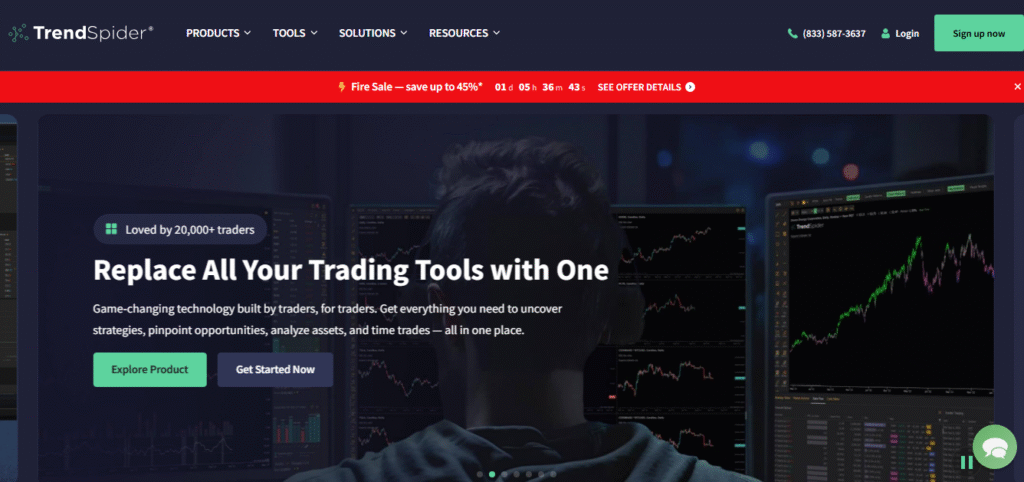
| Feature | Details |
|---|---|
| Best For | Active technical traders, systematic strategy builders |
| Pricing | From $107/month ($53.50/month annually) |
| Key Strength | Automated trendline detection and multi-timeframe analysis |
| Trial | 7-day free trial available |
If you’ve ever spent hours drawing trendlines, hunting for chart patterns, or manually checking multiple timeframes, TrendSpider is about to change your life.
This is hands-down one of the most comprehensive AI-powered technical analysis platforms available. It’s designed to automate all the tedious, time-consuming parts of technical analysis so you can focus on making decisions.
Automated Technical Analysis
Here’s what makes TrendSpider special: its algorithms automatically identify and draw trendlines, detect over 150 candlestick patterns, and recognize dozens of classic chart patterns like head and shoulders, triangles, and flags. No more second-guessing whether you drew that support line correctly.
But the real game-changer is the multi-timeframe analysis. You can overlay indicators and trendlines from different timeframes (weekly, daily, hourly) onto a single chart. This reveals context that’s nearly impossible to see when switching between timeframes manually.
Strategy Development Without Code
TrendSpider includes a powerful backtesting engine that doesn’t require programming knowledge. You can build complex strategies using a point-and-click interface and test them against 50 years of historical data. Once you’ve validated a strategy, you can deploy it as dynamic alerts or even as fully automated trading bots through integrations like SignalStack.
The platform also features an advanced market scanner that goes way beyond basic technical screening. You can filter for fundamentals, news events, analyst ratings, insider trades, and unusual options flow all in one place.
Why Use TrendSpider?
This is the tool for serious technical traders who value their time and want institutional-grade capabilities without the institutional price tag. If you’re running multiple monitors with charts everywhere, trying to spot patterns manually, TrendSpider will feel like hiring a team of analysts.
The learning curve is moderate, but TrendSpider includes free one-on-one training with every plan, which is a massive plus. You’re not just buying software you’re getting an education on how to use it effectively.
The Investment Consideration
At $107/month (or about $54/month annually), TrendSpider isn’t cheap. But when you consider what you’re getting automated pattern recognition, backtesting, scanning, and bot deployment the value proposition is solid for active traders. If you make even one better trade per month because of faster analysis, it pays for itself.
3. Trade Ideas (Holly AI) – Data-Driven Day Trading Signals
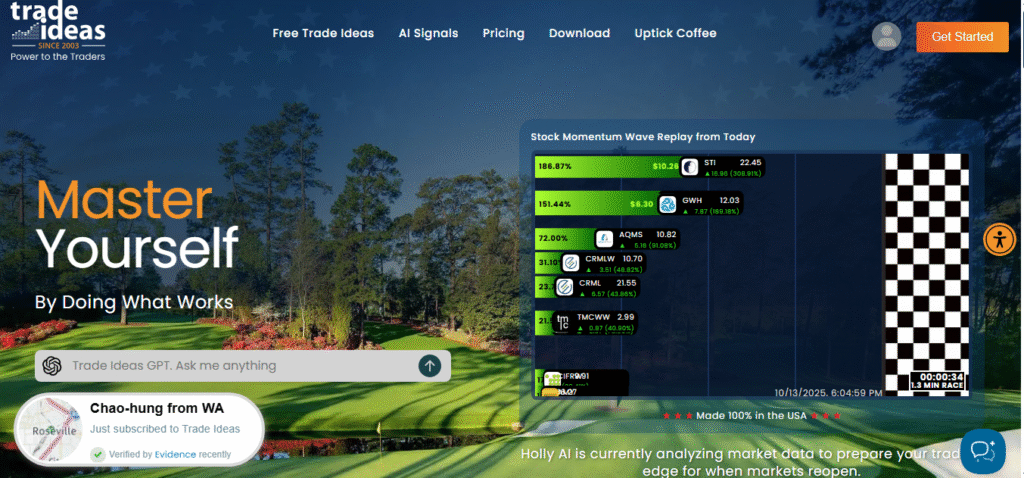
| Feature | Details |
|---|---|
| Best For | Day traders seeking high-probability setups |
| Pricing | $228/month ($167/month annually) for Premium with AI |
| Key Strength | Holly AI generates 3-10 statistically-backed trade signals daily |
| Bonus | Free live trading room with professional trader |
Trade Ideas is built around a simple but powerful concept: let AI do the heavy lifting of finding high-probability day trades while you focus on execution.
The Holly AI Engine
At the heart of Trade Ideas are three proprietary AI algorithms Holly, Holly 2.0, and Holly Neo. Here’s what makes this different from other signal services: every single night, these algorithms run millions of backtests across over 70 different strategies.
The system then presents only the handful of strategies that meet strict criteria:
- Historical win rate above 60%
- Risk-to-reward ratio of at least 2:1
- Statistical significance based on current market conditions
You get complete trade ideas with specific entry points, profit targets, and stop losses plotted right on the charts. It’s about as close to “paint by numbers” trading as you can get while still maintaining statistical rigor.
Real-Time Scanning and Backtesting
Beyond the AI signals, Trade Ideas includes a powerful real-time market scanner with dozens of pre-configured channels. You can scan for momentum plays, breakouts, unusual volume, and even social media mentions. The interface might look a bit dated compared to sleeker modern platforms, but the functionality is rock solid.
The OddsMaker tool lets you backtest your own ideas using a point-and-click interface no coding required. And if you want full automation, the Brokerage Plus module connects directly to brokers like Interactive Brokers and E*Trade to execute your scanned strategies automatically.
The Live Trading Room
Here’s a feature that often gets overlooked: Trade Ideas includes access to a free live trading room hosted by a professional trader. This adds real-time educational value and lets you see how experienced traders interpret and act on the AI signals.
Why Use Trade Ideas?
This platform is specifically designed for active day traders who want a data-driven, systematic approach to finding opportunities. If you like the idea of an AI that’s proven itself over years of audited performance (Holly has consistently outperformed the S&P 500), this is worth serious consideration.
It’s not for passive investors or those who prefer deep manual analysis. This is for traders who want to trade what the numbers say, not what their gut feels.
The Price Reality
At $228/month, Trade Ideas is one of the more expensive options on this list. But the Holly AI’s audited track record and the comprehensive toolkit make it justifiable for serious day traders. Many users report that a single good trade per month more than covers the subscription cost.
4. QuantConnect – The Quant’s Playground
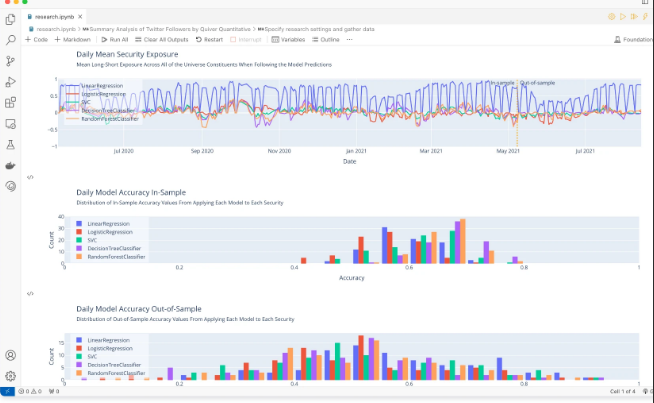
| Feature | Details |
|---|---|
| Best For | Quantitative developers, algorithmic traders, data scientists |
| Pricing | Free tier available; paid plans from $60/month |
| Languages | Python and C# |
| Key Strength | End-to-end infrastructure for algorithmic trading |
QuantConnect is where things get seriously technical. This isn’t a point-and-click platform—it’s a full-blown algorithmic trading infrastructure for people who build their strategies in code.
A Complete Quant Infrastructure
QuantConnect solves the massive “build vs. buy” problem that trading firms and serious quants face. Instead of spending years and millions building your own backtesting engine, data pipeline, and execution system, you get all of it in one integrated platform.
The platform runs on LEAN, its open-source algorithmic trading engine that supports both Python and C#. This gives you incredible flexibility and control over your strategies.
Three Core Components
- Research Environment: Cloud-based Jupyter-style notebooks where you can explore data, train machine learning models, and prototype ideas
- Backtesting Engine: High-speed, event-driven backtesting that prevents look-ahead bias and simulates real trading conditions
- Live Trading: Direct integration with over 20 brokers for seamless deployment of your algorithms
The Data Advantage
QuantConnect provides terabytes of financial data across equities, options, futures, and crypto all pre-formatted and point-in-time accurate. They also offer a marketplace of alternative datasets to give your strategies an edge. For firms with strict security requirements, the entire platform can be deployed on-premise.
Why Use QuantConnect?
If you’re a developer, data scientist, or quantitative trader building systematic strategies, QuantConnect can save you years of infrastructure development and millions in costs. The open-source nature means full transparency and customization no black boxes.
It’s also fantastic for learning algorithmic trading. The free tier gives you access to the core features, and there’s an active community sharing strategies and ideas.
Who This Isn’t For
Let’s be clear: if you’re not comfortable coding, QuantConnect will be overwhelming. This is designed for technical users who want to build, not for traders seeking ready-made solutions. If you’re looking for a no-code experience, skip to other tools on this list.
The Bottom Line
For the right user, QuantConnect is pure gold. It’s trusted by professional trading firms, hedge funds, and serious retail quants. The ability to research, backtest, and deploy all in one environment is incredibly powerful. Plus, the open-source engine means you’re not locked into a proprietary system.
5. TradingView – The Social Charting Powerhouse
| Feature | Details |
|---|---|
| Best For | Technical analysis, community-driven trading ideas |
| Pricing | Free plan available; premium from $15/month |
| Users | Over 20 million traders worldwide |
| Key Strength | Best-in-class charting with massive social network |
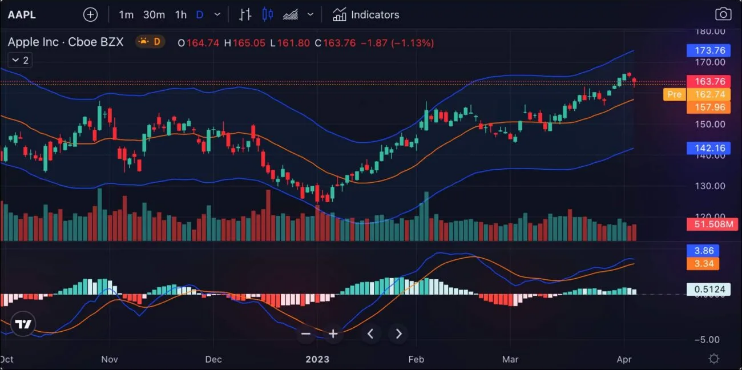
If you’ve spent any time in trading communities, you’ve definitely heard of TradingView. It’s become the de facto standard for charting, and for good reason.
Industry-Leading Charts
TradingView’s charting capabilities are genuinely best-in-class. The platform offers over 160 built-in indicators, extensive drawing tools, and specialty chart types like Renko and Kagi. The charts are fast, intuitive, and packed with features that rival expensive professional terminals.
AI-Powered Features
The AI comes into play through automated pattern recognition. As patterns form in real-time, TradingView’s algorithms identify candlestick formations and classic chart patterns automatically. There’s also an AI assistant that can help you write Pine Script code (TradingView’s proprietary scripting language) for custom indicators and strategies.
The Social Advantage
Here’s what truly sets TradingView apart: it’s the largest social network for traders. With over 20 million users, you have access to:
- Thousands of published chart analyses from traders worldwide
- Over 100,000 community-built indicators and strategies
- The ability to follow successful traders and learn from their analysis
- Real-time discussion and idea sharing
This collaborative aspect is something most platforms completely miss. You’re not trading in isolation you’re part of a global community.
Powerful Screening and Backtesting
Beyond charts, TradingView includes comprehensive screeners for stocks, forex, and crypto with hundreds of technical and fundamental filters. You can also backtest strategies using Pine Script, though this does require some coding knowledge.
Why Use TradingView?
TradingView strikes a rare balance between accessibility and depth. Beginners can start with the free version and pre-built indicators, while advanced traders can build complex custom tools. The social features foster learning and idea generation in ways that solitary platforms can’t match.
It’s perfect for discretionary technical traders across all experience levels. Whether you’re analyzing stocks, forex, or crypto, TradingView has you covered with excellent data coverage and charting.
The Free Factor
One of TradingView’s biggest advantages is its robust free tier. Yes, it’s ad-supported and has some limitations, but you can do serious technical analysis without spending a cent. Premium plans starting around $15/month unlock more features, real-time data, and additional charts still very reasonable compared to professional alternatives.
6. Tickeron – AI Robots and Pattern Recognition
| Feature | Details |
|---|---|
| Best For | Pattern-based trading, automated strategy following |
| Pricing | Free beginner plan; Expert plan $250/month ($125/month annually) |
| Trial | 14-day free trial |
| Key Strength | Marketplace of pre-built AI trading bots with audited performance |
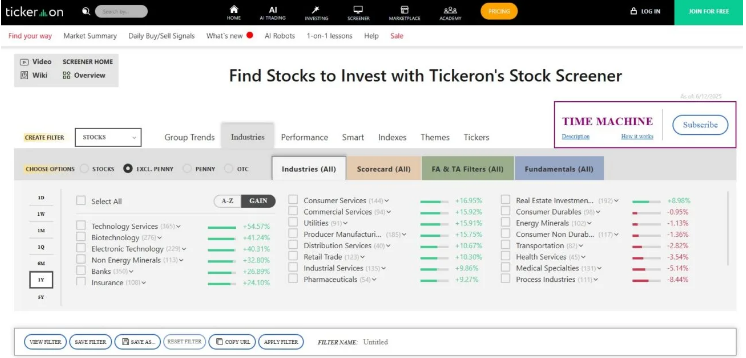
Tickeron takes a unique approach by combining real-time AI pattern recognition with a marketplace of automated trading bots that have fully transparent track records.
Real-Time Pattern Recognition
Tickeron’s AI continuously scans stocks, ETFs, forex, and crypto for one of 40 distinct chart patterns. When it spots a pattern forming, the AI Trend Prediction Engine analyzes historical success rates and current market conditions to forecast the likely price direction.
What’s particularly useful is the Confidence Level assigned to each prediction. You can also review the AI’s historical accuracy on that specific pattern and stock, adding a layer of accountability that many other platforms lack.
The AI Robot Marketplace
This is where Tickeron gets really interesting. The platform offers pre-packaged algorithmic trading strategies called “AI Robots.” Each robot has a fully audited, public track record showing metrics like win rate, annual return, maximum drawdown, and more.
You can browse these robots, review their performance over different market conditions, and subscribe to receive real-time trade alerts when they generate signals. It’s like having access to a fleet of tested strategies without needing to build them yourself.
Portfolio Building Tools
For longer-term investors, Tickeron provides AI Portfolio Wizards that help create diversified portfolios based on your goals and risk tolerance. The system ensures proper asset allocation and provides ongoing monitoring tools.
Why Use Tickeron?
Tickeron is built for traders who want AI-driven guidance without writing code. The transparency around the AI Robots’ performance is refreshing you can see exactly how each strategy has performed over time, not just cherry-picked winning trades.
The confidence level feature is particularly smart because it helps you evaluate which signals are worth acting on versus which ones are lower probability. This nuanced approach beats the “one size fits all” signal services.
The Versatility Factor
One of Tickeron’s strengths is that it serves multiple trading styles. Day traders can use the real-time pattern recognition, swing traders can follow AI Robots, and long-term investors can leverage the portfolio tools. It’s an all-in-one AI assistant that adapts to your approach.
Pricing Considerations
The free plan lets you test the waters, but serious features require the paid tiers. The Expert plan at $250/month (or $125/month annually) includes full access to all AI Robots and features. It’s not cheap, but the audited performance records and comprehensive toolset justify it for active traders.
7. FinViz Elite – Speed and Visualization
| Feature | Details |
|---|---|
| Best For | Fast stock screening, visual market analysis |
| Pricing | Powerful free version; Elite $39.50/month ($24.96/month annually) |
| Stocks Covered | Over 8,500 |
| Key Strength | Lightning-fast screener with famous market heatmaps |
FinViz has earned legendary status among traders for one simple reason: it’s insanely fast and visually intuitive.
The Fastest Stock Screener
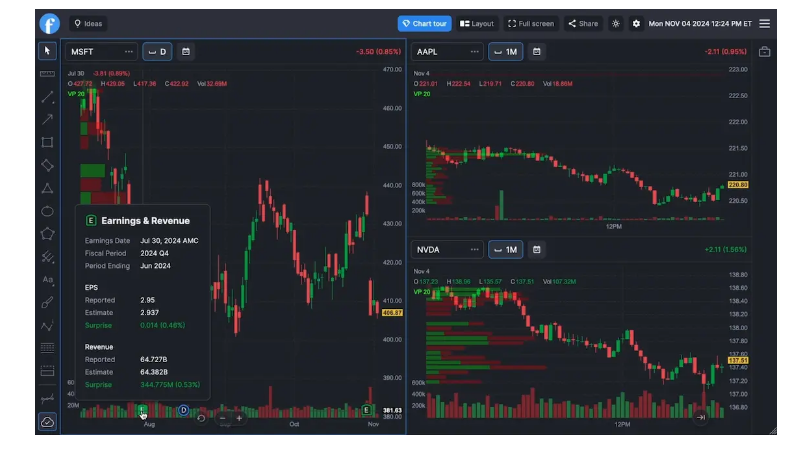
FinViz’s screener can filter over 8,500 stocks based on 67 different fundamental and technical criteria in seconds. What makes it special is the ability to scan for specific chart patterns 30 of them, including wedges, triangles, and channels along with numerous candlestick patterns.
The interface is clean and browser-based, requiring zero software installation. You get results instantly, with clickable charts for deeper analysis.
The Famous Heatmaps
If you’ve seen those color-coded market visualizations showing which sectors are hot or cold, you’ve probably seen FinViz heatmaps. These provide an instant, at-a-glance understanding of market performance across sectors, industries, or individual stocks.
It’s a powerful visualization that answers the question “What’s happening in the market right now?” faster than any other tool I’ve used.
Elite Features
The Elite plan ($39.50/month or about $25/month annually) unlocks:
- Real-time data instead of delayed quotes
- Advanced chart patterns and filtering
- Data export capabilities
- A no-code backtesting engine for testing strategies against 24 years of historical data
Why Use FinViz Elite?
FinViz excels at speed and clarity. It’s designed for traders who need to quickly screen the market, identify opportunities, and understand sector dynamics without wading through complex interfaces.
Swing traders and medium-term investors particularly benefit from the pattern recognition scanning. Instead of manually checking hundreds of charts for setups, FinViz does it in seconds.
The Tradeoffs
FinViz is lighter on advanced charting compared to TradingView or TrendSpider. It’s not trying to be a full-featured charting platform its focus is screening and visualization. For many traders, this focused approach is exactly what they need.
The Value Proposition
Even the free version is incredibly useful, making FinViz accessible to everyone. At roughly $25/month for Elite, it’s one of the more affordable premium platforms on this list. If your trading depends on quickly finding opportunities among thousands of stocks, it’s absolutely worth it.
8. VectorVest – Simplified Stock Selection System
| Feature | Details |
|---|---|
| Best For | Busy investors seeking clear guidance, system-based trading |
| Pricing | $69-$149/month depending on tier |
| Trial | 30-day trial for $9.95 |
| Key Strength | Proprietary VST rating system distills complex analysis into clear signals |
VectorVest takes a completely different approach from most platforms on this list. Instead of overwhelming you with data and leaving you to figure out what to do, it provides clear, system-based guidance.
The VST Rating System
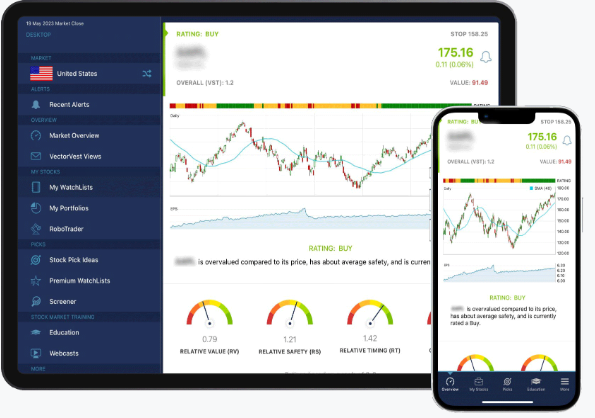
VectorVest’s foundation is its proprietary VST (Value, Safety, Timing) system that evaluates over 16,000 stocks daily on three factors:
- Value: Is the stock undervalued, fairly valued, or overvalued?
- Safety: How financially stable and consistent is the company?
- Timing: What’s the current price trend?
These three components combine into a single VST score, instantly showing which stocks are safe, undervalued, and rising in price. Every stock gets a clear Buy, Sell, or Hold recommendation.
Market Timing Gauge
One of VectorVest’s flagship features is the Market Timing Gauge. This gives explicit signals on overall market health, advising when conditions favor buying stocks and critically when to tighten stops or move to cash during downturns.
This macro-level guidance helps protect capital during market corrections, something many traders struggle with.
Pre-Built Watchlists
The platform provides curated watchlists of the highest-rated VST stocks, saving you the time of screening thousands of options. Integration with popular brokers helps streamline portfolio management.
Why Use VectorVest?
VectorVest is perfect for investors who prefer a disciplined, rule-based approach over complex analysis. It’s designed for busy professionals, retirees, or anyone who wants to manage their portfolio in about 10 minutes a day.
The system removes emotion by providing clear rules: follow the ratings, respect the market timing gauge, and stick to the discipline. It’s particularly appealing to those who’ve been burned by emotional trading decisions in the past.
The Long-Term Track Record
VectorVest emphasizes the audited, long-term performance of its VST system rather than overwhelming you with charting features. The company has been around for decades, and the system has a documented track record through various market cycles.
Pricing and Value
Plans range from about $69 to $149 per month depending on features and data coverage. The $9.95 trial for 30 days is a low-risk way to test whether the system clicks with your investing style.
For traders seeking complexity and customization, VectorVest might feel limiting. But for those wanting simplicity, clarity, and a proven system, it delivers exactly what it promises.
9. MetaStock – Professional Desktop Analysis
| Feature | Details |
|---|---|
| Best For | Deep technical analysis, system development, price forecasting |
| Pricing | ~$69/month (end-of-day) to ~$100/month (real-time) plus data fees |
| Trial | “3 for 1” trial often available |
| Key Strength | Proprietary Forecaster tool and 275+ technical indicators |
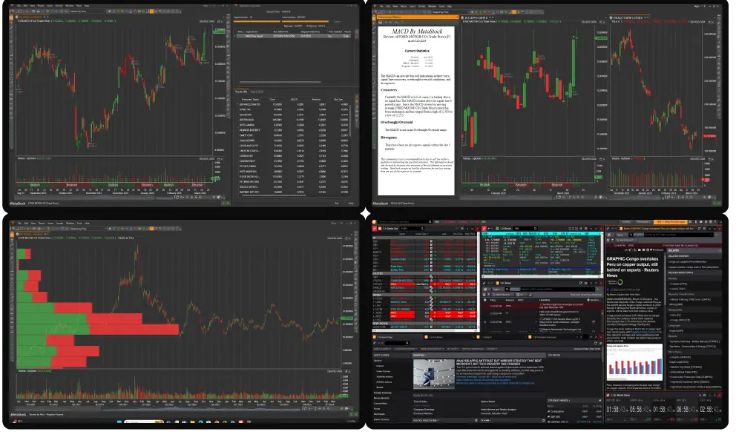
MetaStock is old-school in the best way possible. This is professional-grade desktop software that’s been trusted by serious traders for over 30 years.
Comprehensive Analytical Toolkit
MetaStock boasts an industry-leading library of over 275 technical indicators, advanced drawing tools, and numerous chart types. It comes in two versions:
- MetaStock D/C: End-of-day data for swing and position traders (~$69/month)
- MetaStock R/T: Real-time data via Refinitiv XENITH for day traders (~$100/month plus separate data subscription)
The Unique Forecaster Tool
Here’s what makes MetaStock stand out: the Forecaster. This proprietary tool analyzes historical price action to generate a visual probability cloud showing where future prices are most likely to trade.
While most platforms focus on analyzing past data, the Forecaster provides forward-looking projections based on statistical patterns. It’s not a crystal ball, but it’s a data-driven edge that few other platforms offer.
System Testing
The System Tester allows you to build and backtest complex trading strategies. The downside is it requires learning MetaStock’s proprietary scripting language, which adds a learning curve. But for traders who invest the time, it provides deep customization.
Why Use MetaStock?
MetaStock is built for dedicated technical analysts who want maximum analytical control and prefer desktop software over web-based platforms. It’s ideal for traders who go beyond standard indicators and want to build, test, and forecast their own strategies.
The depth of analysis is expansive, with support for numerous expert add-ons and plugins. If you value precision, customization, and rigor over convenience, MetaStock delivers.
The Desktop Advantage
In an era where everything is moving to the cloud, MetaStock’s desktop approach has advantages. You get faster performance, more control over your environment, and aren’t dependent on internet connectivity for analysis (though you need it for data updates).
The Investment
MetaStock isn’t cheap when you factor in the software and required data subscriptions. But for traders who live and breathe technical analysis, it’s a professional tool with professional capabilities. The forecasting feature alone makes it unique among technical platforms.
10. SignalStack – The Universal Trade Automation Bridge
| Feature | Details |
|---|---|
| Best For | Automating alerts from charting platforms |
| Pricing | Free (5 signals/month); Basic $27/month (50 signals/month) |
| Key Strength | Connects any webhook-capable platform to 30+ brokers |
| Speed | Executes orders in under 0.5 seconds |
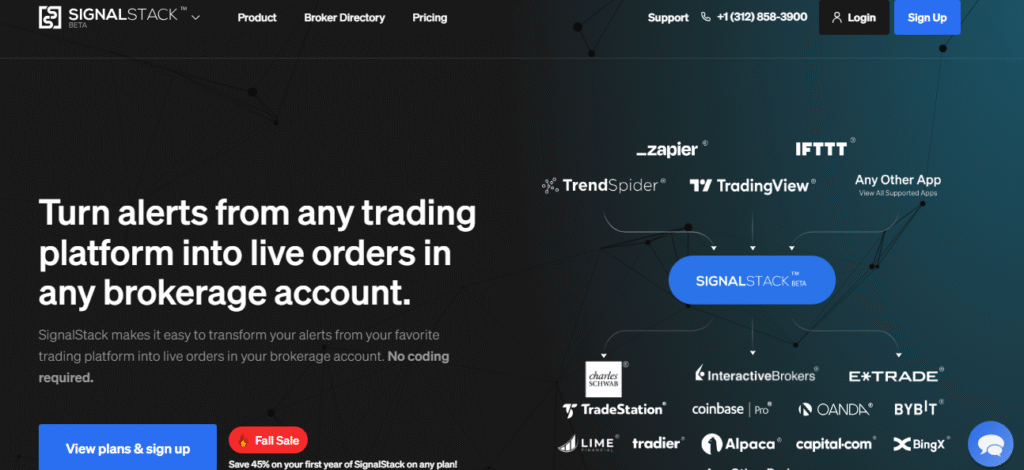
SignalStack isn’t an analysis tool it’s the bridge that connects your analysis to execution. And it’s ridiculously good at what it does.
How It Works
SignalStack uses webhook technology to connect charting software (like TradingView, TrendSpider, or any platform that can send webhook alerts) to your live brokerage account.
Here’s the flow:
- You set up an alert in your charting software (e.g., “notify me when price crosses above 200-day MA”)
- When triggered, the alert sends a webhook to SignalStack
- SignalStack instantly converts that alert into a market or limit order
- The order is placed in your brokerage account in under half a second
No Coding Required
The setup is designed to be simple. You don’t need programming knowledge just follow the templates to format your webhook alerts correctly, and SignalStack handles the rest.
Why Use SignalStack?
SignalStack solves a critical problem: execution. You might have killer strategies and perfect alerts set up, but if you’re at work, sleeping, or away from your computer, you miss opportunities.
SignalStack removes that friction by automating execution based on your own rules. It’s perfect for:
- Traders who can’t watch charts all day
- Anyone wanting to remove emotion from trade execution
- Those running multiple strategies across different platforms
Broad Compatibility
SignalStack connects to over 30 different brokers and works with numerous asset classes: stocks, options, futures, and crypto. This universal compatibility means you can automate strategies across nearly any market using the analysis tools you already trust.
Pay-Per-Use Pricing
The pricing model is brilliant for part-time traders. The free plan gives you 5 signals per month—perfect for testing or low-frequency strategies. The Basic plan at $27/month covers 50 signals, which is plenty for most swing traders.
You only pay for what you use, without the overhead of expensive monthly subscriptions for tools you might not use daily.
The Reality Check
SignalStack doesn’t create strategies or generate signals it only executes them. You still need solid analysis and reliable alerts from other platforms. But for traders who have that side figured out, SignalStack is an incredibly valuable piece of the puzzle.
Comparison: Finding Your Perfect Match
Choosing the right AI trading tool depends on your specific needs. Here’s a quick comparison to help you decide:
By Trading Style
| Trading Style | Best Tools |
|---|---|
| Day Trading | Trade Ideas (Holly AI), TrendSpider, FinViz Elite |
| Swing Trading | TrendSpider, FinViz Elite, Tickeron, TradingView |
| Long-Term Investing | VectorVest, Tickeron, TradeEasy AI |
| Algorithmic Trading | QuantConnect, MetaStock |
| News-Driven Trading | TradeEasy AI |
By Experience Level
| Experience Level | Best Tools |
|---|---|
| Beginners | TradeEasy AI (free), TradingView (free tier), VectorVest |
| Intermediate | TradingView, FinViz Elite, Tickeron, SignalStack |
| Advanced | TrendSpider, Trade Ideas, MetaStock, QuantConnect |
By Budget
| Budget | Best Options |
|---|---|
| Free | TradeEasy AI, TradingView (free tier), QuantConnect (free tier) |
| Under $50/month | TradingView Premium ($15+), FinViz Elite ($25-40), SignalStack ($27) |
| $50-$150/month | TrendSpider ($54-107), MetaStock ($69-100), VectorVest ($69-149), QuantConnect ($60+) |
| $150+/month | Trade Ideas ($167-228), Tickeron Expert ($125-250), TrendSpider Elite ($107+) |
By Primary Feature Need
| What You Need Most | Best Tool |
|---|---|
| News & Sentiment Analysis | TradeEasy AI |
| Automated Pattern Recognition | TrendSpider, FinViz Elite |
| Pre-Built AI Strategies | Trade Ideas, Tickeron |
| Community & Learning | TradingView |
| Algorithmic Development | QuantConnect, MetaStock |
| Simple Clear Guidance | VectorVest |
| Trade Automation | SignalStack, TrendSpider |
| Speed & Screening | FinViz Elite |
| Price Forecasting | MetaStock |
How to Get Started With AI Trading Tools
Ready to dive in? Here’s a practical roadmap:
Step 1: Assess Your Needs
Before signing up for anything, honestly evaluate:
- What’s your trading style? (day trading, swing trading, long-term investing)
- What markets do you trade? (stocks, forex, crypto, options)
- How much time can you dedicate to trading daily?
- What’s your technical comfort level? (beginner, intermediate, advanced)
- What’s your realistic budget for tools?
Step 2: Start With Free Tools
Don’t jump straight into expensive subscriptions. Begin with:
- TradeEasy AI for news intelligence (completely free)
- TradingView’s free tier for charting and community ideas
- QuantConnect’s free tier if you’re interested in algorithmic trading
This gives you a solid foundation without any financial commitment. Use these for at least a month to understand how AI tools fit into your workflow.
Step 3: Take Advantage of Trials
Once you’ve identified what features you need, test the paid platforms:
- TrendSpider (7-day trial)
- Tickeron (14-day trial)
- VectorVest (30-day trial for $9.95)
- FinViz Elite (often has trial offers)
During trials, actually use the tools. Set up alerts, run scans, backtest a strategy. Don’t just browse featuresapply them to your real trading ideas.
Step 4: Choose Your Core Platform
Based on your trials, select one primary platform that becomes your command center. This should be the tool you use daily for your main analysis workflow. For most traders, this will be either TradingView, TrendSpider, or a specialized tool like Trade Ideas depending on your style.
Step 5: Add Complementary Tools
Layer in additional tools that fill specific gaps:
- Add TradeEasy AI for market sentiment (free)
- Add SignalStack if you need automation ($27/month)
- Add FinViz Elite for fast screening ($25/month)
The key is building a stack that works together rather than subscribing to everything and using nothing effectively.
Step 6: Learn the Platform Deeply
This is where most traders fail. They subscribe to powerful tools but only scratch the surface. Commit to:
- Watching all tutorial videos
- Taking advantage of free training (like TrendSpider’s 1-on-1 sessions)
- Joining community forums or Discord channels
- Spending at least 2-3 weeks learning before judging effectiveness
A simple tool used expertly beats a complex tool used poorly.
Step 7: Track Your Results
Keep a journal of how AI tools impact your trading:
- Are you finding better opportunities?
- Are you saving time?
- Are your win rates improving?
- Is the cost justified by results?
After 2-3 months, honestly assess whether each subscription is earning its keep. Don’t fall for the sunk cost fallacy if a tool isn’t helping, cancel it.
Common Mistakes to Avoid With AI Trading Tools
Look, I’ve made plenty of these mistakes myself. Save yourself the headaches:
Mistake #1: Tool Hopping
Constantly switching platforms because the grass looks greener is a trap. Every tool has a learning curve. Give each platform a fair shot (2-3 months minimum) before jumping ship. Master one tool before moving to another.
Mistake #2: Over-Relying on AI Signals
AI is powerful, but it’s not infallible. Never blindly follow signals without understanding the reasoning behind them. Use AI to enhance your judgment, not replace it. Always have a basic understanding of why a trade makes sense.
Mistake #3: Ignoring Risk Management
The best AI tool in the world won’t save you from poor risk management. Always use stop losses, position sizing, and portfolio diversification. AI can help you find opportunities—it can’t prevent you from overlording bad setups.
Mistake #4: Subscribing to Everything
More tools don’t equal more profits. I’ve seen traders spend $500+ monthly on subscriptions they barely use. Start lean, add strategically. Most successful traders use 2-3 core tools max.
Mistake #5: Skipping the Learning Phase
Paying for a premium platform and not learning how to use it properly is like buying a Ferrari and driving it in first gear. Invest time in education. Use the tutorials, attend webinars, practice with paper trading first.
Mistake #6: Forgetting About Costs
A $200/month tool needs to improve your trading by more than $200/month to justify its existence. Factor in subscription costs when calculating your trading profitability. Sometimes a free or cheaper tool that you use well beats an expensive one you don’t fully leverage.
Mistake #7: Ignoring Data Quality
Not all data feeds are equal. Real-time vs. delayed data can mean the difference between catching a move and missing it. Understand what data quality each platform provides and whether it matches your trading timeframe needs.
The Future of AI in Trading
Before we wrap up, let’s talk about where this technology is headed. Understanding the trends helps you make smarter tool choices today.
Machine Learning is Getting Smarter
The AI models powering these platforms are constantly improving. We’re seeing:
- Better pattern recognition accuracy
- More sophisticated sentiment analysis
- Improved natural language processing for news interpretation
- Advanced prediction models that adapt to changing market conditions
Platforms that invest heavily in R&D (like QuantConnect and Trade Ideas) will likely pull further ahead.
Integration is King
The future isn’t about one tool doing everything it’s about seamless integration between specialized tools. SignalStack’s success proves this. Expect to see more platforms offering APIs and webhooks to connect with each other.
Personalization Through AI
We’re moving toward AI that learns your specific trading style and preferences. Instead of generic signals, imagine AI that understands your risk tolerance, preferred setups, and even your emotional patterns to provide truly personalized guidance.
Democratization of Quant Strategies
Tools like QuantConnect are making sophisticated algorithmic trading accessible to retail traders. This trend will continue, with no-code and low-code solutions bringing institutional-grade strategies to everyone.
Real-Time Alternative Data
AI tools are increasingly incorporating alternative data sources social media sentiment, satellite imagery, credit card data, web traffic to gain edges. TradeEasy AI’s news aggregation is just the beginning.
Regulatory Considerations
As AI becomes more prevalent in trading, expect increased regulatory scrutiny. Platforms with transparent, audited performance records (like Trade Ideas and Tickeron) will likely have an advantage as regulations evolve.
The Human Element Remains Critical
Here’s what won’t change: successful trading will still require human judgment, discipline, and adaptability. AI amplifies capabilities it doesn’t eliminate the need for skill, experience, and emotional control.
The best traders in 2025 and beyond will be those who effectively combine AI tools with timeless trading principles.
Final Thoughts: Which AI Trading Tool Should You Choose?
After diving deep into all 11 platforms, here’s my honest take:
If you’re just starting out: Begin with TradeEasy AI (free) and TradingView’s free tier. Learn the basics of technical analysis and market sentiment without spending money. Once you’re consistently profitable with free tools, then consider paid upgrades.
If you’re a day trader: Trade Ideas’ Holly AI or TrendSpider should be your focus. Both offer the speed, automation, and signal generation that day trading demands. FinViz Elite makes an excellent complementary tool for quick screening.
If you’re a swing trader: TrendSpider or TradingView Premium combined with FinViz Elite gives you pattern recognition, screening, and analysis capabilities. Add SignalStack if you can’t monitor alerts during market hours.
If you’re a long-term investor: VectorVest’s simplicity or Tickeron’s Portfolio Wizards provide the guidance and systematic approach that long-term investing benefits from, without the complexity you don’t need.
If you’re a developer or quant: QuantConnect is the obvious choice. The free tier lets you start learning, and the paid plans scale with your needs. MetaStock offers an alternative if you prefer desktop software and unique forecasting tools.
If you’re on a tight budget: Stick with the powerful free options—TradeEasy AI, TradingView, and QuantConnect’s free tier. Add FinViz Elite ($25/month) when you’re ready for faster screening. This combo costs less than a streaming service but delivers professional-grade capabilities.
If money isn’t a constraint: Build a stack of TrendSpider (automation), Trade Ideas (signals), TradeEasy AI (news), and SignalStack (execution). This covers every angle and gives you institutional-grade capabilities.
The Bottom Line
AI has fundamentally changed what’s possible for retail traders. The tools we’ve covered in this guide represent thousands of hours of development, millions in investment, and years of market-tested performance.
But here’s the truth that no one likes to hear: tools alone won’t make you a profitable trader. I’ve seen traders with free TradingView accounts crushing it, while others lose money with $500/month tool stacks.
Success comes from:
- Understanding markets: No AI replaces market knowledge
- Disciplined execution: Following your plan even when emotions scream otherwise
- Continuous learning: Markets evolve, and so must you
- Risk management: Protecting capital is more important than chasing gains
- Patience: Building trading skills takes time
AI trading tools accelerate the process. They give you better information faster, automate tedious tasks, remove emotional biases from execution, and reveal patterns you’d never spot manually. But they’re amplifiers of skill, not substitutes for it.
My recommendation? Pick one or two tools from this guide that align with your trading style. Really learn them. Give them a fair shot for at least 2-3 months. Track your results honestly. Then optimize from there.
The platforms covered here TradeEasy AI, TrendSpider, Trade Ideas, QuantConnect, TradingView, Tickeron, FinViz Elite, VectorVest, MetaStock, and SignalStack represent the best AI trading solutions available in 2025. Each has unique strengths. Each serves specific traders exceptionally well.
Your job is finding which one amplifies your edge in your markets.
The technology exists. The tools are proven. The opportunity is real.
Now it’s on you to put them to work.
Happy trading, and may your algorithms always be in your favor.
Frequently Asked Questions
Are AI trading tools actually profitable?
The tools themselves don’t guarantee profits they’re enablers. Platforms like Trade Ideas have audited track records showing their AI strategies outperforming the market, but individual results depend on how you use the tools, your risk management, and your trading discipline. Think of them as professional-grade equipment: they increase your edge, but skill still matters.
Can beginners use AI trading tools effectively?
Absolutely. Tools like TradeEasy AI, TradingView, and VectorVest are specifically designed with beginners in mind. Start with free versions, focus on learning one platform deeply, and gradually add complexity as you grow. Many platforms offer tutorials and training to help beginners get up to speed.
Do I need coding skills for AI trading platforms?
Not for most of them. TradeEasy AI, TradingView, Trade Ideas, TrendSpider, FinViz, VectorVest, Tickeron, and SignalStack all offer no-code or low-code experiences. Only QuantConnect and MetaStock require programming knowledge. Choose based on your technical comfort level.
How much should I budget for AI trading tools?
You can start with $0 using TradeEasy AI and TradingView’s free tier. For serious traders, budget $50-150/month for a solid setup. Professional traders might spend $200-500/month for comprehensive tools. Start free, prove your strategy works, then upgrade strategically.
Can AI trading bots run on autopilot?
Technically yes, but it’s risky. Tools like Trade Ideas, TrendSpider (via SignalStack), and Tickeron can execute trades automatically. However, markets are unpredictable. Even with automation, you should monitor performance, adjust during unusual market conditions, and maintain oversight of your automated strategies.
Which AI tool is best for crypto trading?
TradingView excels for crypto charting with extensive exchange coverage. TradeEasy AI covers crypto news and sentiment. QuantConnect supports algorithmic crypto trading. Tickeron includes crypto in its pattern recognition. For crypto specifically, TradingView + TradeEasy AI is a powerful free combo.
Do these tools work for forex trading?
Yes. TradingView, TradeEasy AI, MetaStock, Trade Ideas, and Tickeron all support forex markets. TradingView is particularly popular among forex traders for its clean charts and global community. Check each platform’s specific forex pair coverage before subscribing.
Are AI trading signals better than human analysis?
Neither is universally better they’re complementary. AI processes data faster and without emotion, but humans understand context, adapt to unprecedented events, and make nuanced judgments. The best approach combines AI-generated insights with human oversight and decision-making.
Can I use multiple AI tools together?
Definitely, and many traders do. A common stack might be TradingView for charting, TradeEasy AI for news, FinViz for screening, and SignalStack for automation. The key is ensuring tools complement rather than duplicate each other’s functions.
How do I know if an AI tool is worth the cost?
Track your results for 2-3 months. Calculate whether the tool saves you time, improves your win rate, helps you find better opportunities, or prevents costly mistakes. If the value delivered exceeds the subscription cost, it’s worth it. If not, cancel and try alternatives.

Kimbi is a research-driven writer who translates AI, fintech into clear, actionable insights. Backed by 2 + years in content creation, he delivers objective, reader-first pieces that help decision-makers act with confidence.
How Much I Really Charge for Websites ($500-$2,000 Breakdown)